
HappyMod iOS: Does HappyMod Really Work on iPhone?
If you are searching for HappyMod iOS, it means that you want the famous Android modding app on your iPhone. Like all people, you also want to experience the app, but the truth is, no official iPhone or iPad version exists for HappyMod. The app is actually a setup built specifically for Android. There are pages that claim to offer a “HappyMod iOS download,” an IPA file, or a no-jailbreak installer, but that does not mean official HappyMod iOS exists.
A question that comes to mind first is, “Can HappyMod really work on an iPhone or iPad in 2026, and what should you know before trying it?” Many download websites answer the question in a complicated way. So, whether you searched for “Happy Mood iOS,” “Happy Mode iOS,” “HappyMod for iPhone,” or “HappyMod iOS download,” this guide is focused on the same underlying question
No, HappyMod does not have a verified official iPhone or iPad version. It’s built as an Android APK file, and iOS doesn’t support that format — no official version exists, and none is coming.
Websites claiming to offer “HappyMod iOS,” “HappyMod IPA,” or “HappyMod for iPhone without jailbreak” describe unofficial signing methods, configuration profiles, third-party installers, or simply use the HappyMod name to attract downloads. The only reliable way to use HappyMod on an iPhone is running it through a PC emulator, which we’ll walk through below.
HappyMod iOS, Key Facts at a Glance
Before going further, here’s the current HappyMod iOS situation in one table:
The key point
an “iOS download” label is not proof of an official HappyMod iPhone app. Throughout this guide, we’ll separate genuine HappyMod facts from unofficial installers, copycat apps, and misleading download claims.
Wait! Which Happy Mood iOS Are You Looking For?
Before we go any further, let’s clear up something important: “Happy Mood iOS” isn’t one single app. It depends on what spellings you typed into Google, you are searching for any of three very different things.
HappyMod (the Android modding app)
This is almost certainly what most people searching “Happy Mood iOS” actually mean. “Happy Mood” is simply a common misspelling of HappyMod, the Android app store known for modded APKs of games and apps. This is the app the rest of this guide focuses on.
HappyMood (a real, unrelated iOS app)
There genuinely is an app called HappyMood that exist on the App Store. But its a legitimate mood-tracking and mental-wellness app with no connection to HappyMod.
Copycat apps using similar names
A handful of App Store listings, things like “HappMody” or “HappiMod”, use names close enough to cause confusion. We’ll cover these in detail below, because a few of them come with subscription traps worth knowing about upfront.
For this guide, when we say HappyMod iOS, we mean the product people are searching for when they want to use HappyMod on an iPhone or iPad. That includes related searches such as HappyMod for iPhone, HappyMod for iPad, HappyMod iOS download, HappyMod IPA, HappyMod without jailbreak, HappyMod on iOS 26
What is HappyMod
Happymod is a third-party Android app platform that distributes modified apps and games to its users. It is the opposite of the Google Play Store, as it provides altered apps with unlocked features, not just standard apps. Here, users can find both the apps that are available on the Play Store and the apps that are missing from the Play Store or other app stores. In simple words, it is an unofficial cousin of the Play Store.
One thing to note is that HappyMod does not create a mod or app; it just supplies the apps. It is a place where users get premium apps that are collected, listed, and handed out publicly.
HappyMod works on the strategy of sideloading, where users extract the desired app from the HappyMod store and install it manually on the device. It is helpful, as every mod listing shows the real experience of users who have played that mod. In simple words, a review or rating system that helps new users understand the progress of a game/app.
The important part for anyone searching HappyMod iOS is the word Android because HappyMod is primarily made for Android. Does HappyMod work on iOS? We are going to explore it in this guide.

Is There an Official HappyMod App for iPhone or iPad?
Straight answer: there is no official HappyMod for iPhone or iPad. HappyMod is an APK, and an APK is the standard installation format for Android only. On the other hand, iOS is not built to read APK files because it has its own installation format, IPA. There are no claims or predictions of HappyMod iOS coming soon.
You need to be very careful if you encounter a site that claims HappyMod IPA because Apple doesnot allows to install apps outside its App Store. Every “HappyMod iOS” download you come across online is either:
- A rebranded or unofficial file claiming to be HappyMod
- A workaround method that installs something other than the real app
- A copycat app with a similar name
The point is, if HappyMod is not available for iPhone, it does not mean you cannot have it on iPhone. There are some ways that you can follow to run the app on you iphone ipad or pc. We will discuss these methods, like profile config, jailbreak, etc.
Quick check: If you see a website offering direct “HappyMod.ipa” download, it is a red flag. Apple’e iOS doesn’t allow installation from outside of its stores.
Why HappyMod Doesn’t Work on iOS (APK vs IPA)
The real answer comes down to one word: file formats. Android and iOS are built on completely different systems, and they don’t speak the same installation language.
APK and IPA don’t just look different, but they are built on different systems as well. An APK stands for Android Package Kit, and an IPA is an iOS app package. As the name says, both of these are 2 different formats. An APK contains files that are required to install an application on An APK cannot be installed on iOS, and an IPA cannot be installed on Android.
Happymod is an APK format built specifically for Android, so it can’t be installed on an iPhone, but there are some alternative tricks to do so. These two formats are not interchangeable; it means you cannot simply rename the APK to IPA and install it on iOS. It would require converting the APK file to IPA format.
Android Package Kit
Built for AndroidiOS App Store Package
Built for Apple’s ecosystemHere’s a simple side-by-side to make the difference clear:
| Comparison | APK (Android) | IPA (iOS) |
|---|---|---|
| 01 Used by | HappyMod, Google Play, sideloaded apps | App Store, enterprise-signed apps |
| 02 Installs on iPhone/iPad? | No | Yes (when properly signed) |
| 03 Requires code signing? | No (Android allows unsigned/self-signed apps) | Yes, Apple requires developer signing |
| 04 Can one be converted into the other? | No, they’re structurally different formats | No |
5. The Configuration Profile Method: How It Works
What most users see after they search for HappyMod iOS is websites that offer configuration profile installation. This is the common method that most of the people nowadays are using. This method helps users get something that resembles the HappyMod APK running on an iPhone. It is an alternative to the jailbreak method. Below is a neutral breakdown of how it works, what it actually gives you, and what to keep in mind before trying it.
How the Configuration Profile Method Works
AA configuration profile is a legitimate iOS feature, normally used by schools and businesses to manage settings on company-owned devices. Some third-party sites use this same feature to distribute an app-like installer. The general process looks like this:
A legal method used by third-party sites to distribute an app-like installer is a configuration profile. It is used by schools and businesses for managing settings on company-owned devices. The general process looks like this:
- Visit a third-party site offering “HappyMod for iOS”
- Tap the download/install button, which prompts iOS to download a configuration profile
- Go to Settings → Profile Downloaded and tap “Install”
- An icon resembling HappyMod appears on your home screen
For some users, this method works and results in a working icon and app-like experience, which is why the method keeps circulating. It’s also why it’s important to understand before deciding whether it’s right for you.
What You’re Actually Installing
The thing you just installed by the above method isn’t the HappyMod APK that Android users get. Under the name of Happy Mod iOS, you actually get a web clip(a bookmark styled as an app icon), or an application distributed through a third-party signing arrangement. That distinction matters because a website can label something “HappyMod IPA” or “HappyMod iOS” without proving that the original HappyMod developers created or maintain it.
Things to weigh:
| Consideration | What to Know |
| Works instantly? | Often yes, initially |
| Same as Android HappyMod? | No — different build, not maintained by HappyMod’s official team |
| Device permissions | Installing a profile gives its creator some level of control over your device settings |
| Source verification | Hard to confirm who actually built or signed the file |
| Our stance | Not something we recommend or endorse — proceed at your own judgment and risk |
Why These Installs Often Stop Working (Certificate Revocation)
The method might work at first, but it will stop working after some days or weeks. Because the app you just got by the configuration profile method works until the enterprise certificate remains active. When Apple identifies a certificate being used for public distribution rather than internal company use, Apple revokes it because it’s against its intended purpose. Once that happens, every app installed through that certificate stops opening at once, for every user, everywhere.
This is why you’ll often see comments under these tutorials saying the app worked initially and then suddenly stopped; that’s certificate revocation, not a bug on your end.
Common HappyMod iOS Scam Patterns to Recognize
A single download button isn’t trustworthy enough for what user is installing from that page. After the profile configuration method explained above, what most users get after searching happy mod ios is a bunch of repeating scam patterns. By knowing these scams, it would be quite easy for users to differentiate between woking and fake happy mod.
Fake Web-Clip Shortcuts
A web clip is simply a bookmark to a website. It is styled with a custom icon so it looks like a real app on your home screen. Some sites use this to present a webpage to make it look like the actual HappyMod app.
- It uses Safari or any other browser to load
- There’s no real installation process beyond a single tap. Genuine apps typically go through App Store verification or a configuration profile step
- Swiping up in the “app” often reveals a Safari address bar or browser controls hiding at the edges
- Sends user back to the same download website
“Complete These Offers to Unlock” Loops
This is one of the more time-wasting patterns: after installing a profile or app, user is told to “verify” by completing two or three tasks. Usually downloading/signing up for another app, a survey, or a subscription trial.
User completes the requested tasks, expecting HappyMod to unlock afterward
The page reports the tasks as incomplete, even when finished correctly
You’re asked to complete additional tasks to “confirm” the previous ones
The loop continues indefinitely, while the sites behind each task earn referral commissions from your sign-ups
Malicious Clone Sites (Fake HappyMod Domains)
Because “HappyMod iOS” is such a high-volume search term, it attracts clone websites that copy the branding, layout, and even the name of legitimate HappyMod-related sites, but exist purely to harvest data or push malware.
| Red Flag | Why It Matters |
|---|---|
| Domain doesn’t match happymod.com or well-known variants | Easy to overlook when scanning search results quickly |
| Aggressive pop-ups or fake “virus detected” alerts | Legitimate download pages don’t need scare tactics |
| Requests personal info before any download starts | No download should require an email, phone number, or payment card upfront |
| Countdown timers pressuring immediate action | Urgency tactics are a common manipulation pattern, not a technical necessity |
| Download button redirects through multiple ad pages | Genuine sources link directly to a file, not a chain of redirects |
“Features” and “System Requirements” Lists,
If you look around on the internet, you will find several sites listing ” Features of HappyMod for iOS” or a “System Requirements” table. Things like supported iOS versions, storage space needed, or RAM requirements. These look like quite good and helpful pieces of information, but the problem is: how come an app has requirements and features on iPhone if it doesn’t even exist for iOS?
Here’s why these sections don’t hold up:
- There’s no iOS binary to measure. System requirements come from an app that has been used on it. Since HappyMod has never been released for iOS, no one could generally tell these requirements
- The “features” lists are generic and interchangeable. Terms like “easy interface,” “fast downloads,” “frequent updates,” and “free access” are almost the same terms for every APK site. That’s a strong sign of copy-paste content, not first-hand testing.
- Compare them side by side, and they contradict each other. One site lists “iOS 13 and above,” another says “iOS 15 required” for the same supposed app. Real system requirements don’t shift from site to site.
| What’s Listed | Why It’s Not Credible |
| “Compatible with iOS 13+” | No official iOS release exists to test compatibility against |
| “Requires 150MB storage” | A specific figure with no verifiable app behind it |
| “Regular updates” | Nothing to update — there’s no app in the App Store to receive updates |
| “Security and virus protection” | Ironic, given these pages are often the source of the risk, not the protection |
The takeaway: if a page confidently lists specs for “HappyMod iOS,” treat that specificity as a red flag rather than reassurance. Real technical documentation about a non-existent product isn’t possible. It’s simply written to look authoritative and keep you scrolling toward a download button.
Careful! Copycat Apps Named “HappyMod” on the App Store
Many users search for happymod on the App Store, but can’t find the desired thing. All they see there is a cluster of apps with similar confusing names. These apps even carry the same icon as HappyMod, which causes very much confusion. Users get tricked and download any random app without knowing the official details. Below are some apps you found most prominent among HappyMod searches.
HappiMod – Working Game Mods
This app markets itself as a hub for “working game mods and addons” across titles like Minecraft, Roblox, and Fortnite. It requires an auto-renewable weekly or monthly subscription with a free trial. According to its own App Store listing, it doesn’t actually contain any game software or downloadable game files. It’s positioned as a curated guide and helper hub, not a mod installer.
HappMody – Working Game Mods
This app uses similar branding and promises a “centralized hub” of mods and performance upgrades. Like HappiMod, it’s a separate, unrelated app, not connected to the Android HappyMod in any way.
HapMod – Happy Game Mods
This one positions itself as an “all-in-one hub” for mod packs and game enhancements, also gated behind subscription access to premium tools.
This matters because certain apps are totally irrelevant to happymod apk and still are ranking on top on major keywords..
An App Store listing with a similar name is not proof that an official HappyMod iOS version exists.
For HappyMod iOS, always verify the developer and the application’s actual identity before assuming that a familiar-looking name means you’ve found the real thing.
Does Jailbreaking Help?
Short answer: no, and even where jailbreaking is technically possible, it still doesn’t solve the core problem. In simple words, a jailbreak removes some of Apple’s software restrictions, and the user gets more control over the device. This can make it possible to install certain unofficial iOS software, but it does not change the operating system into Android.
The current jailbreak landscape (2026):
Jailbreaking is also not a universal solution because its availability depends heavily on the exact iPhone model and iOS version. The tools used generally rely on specific vulnerabilities that only affect particular combinations of Apple hardware and iOS versions. That means a method that works on an older iPhone running an older version of iOS may not work on a newer device or a newer iOS release. So a claim such as “jailbreak any iPhone and install HappyMod” should be treated carefully. There isn’t one universal jailbreak that works across every iPhone and every iOS version.
Even on a jailbreakable device, it wouldn’t run HappyMod.
A part that most guides miss is that a jailbreak does not make the iPhone capable of running an Android APK, but it allows a device to run certain unofficial iOS applications. HappyMod still requires an Android environment, as it was developer specirfially for Android.
So even with a successful jailbreak:
Jailbreak → removes some iOS restrictions
Jailbreak → does not convert iOS into Android
Jailbreak → does not convert APK into IPA
Jailbreak → does not create an official HappyMod iOS app
That is the reason jailbreaking doesn’t solve the underlying problem. The issue is not simply Apple’s restriction on installing apps; it is the fundamental difference between Android software and iOS software.
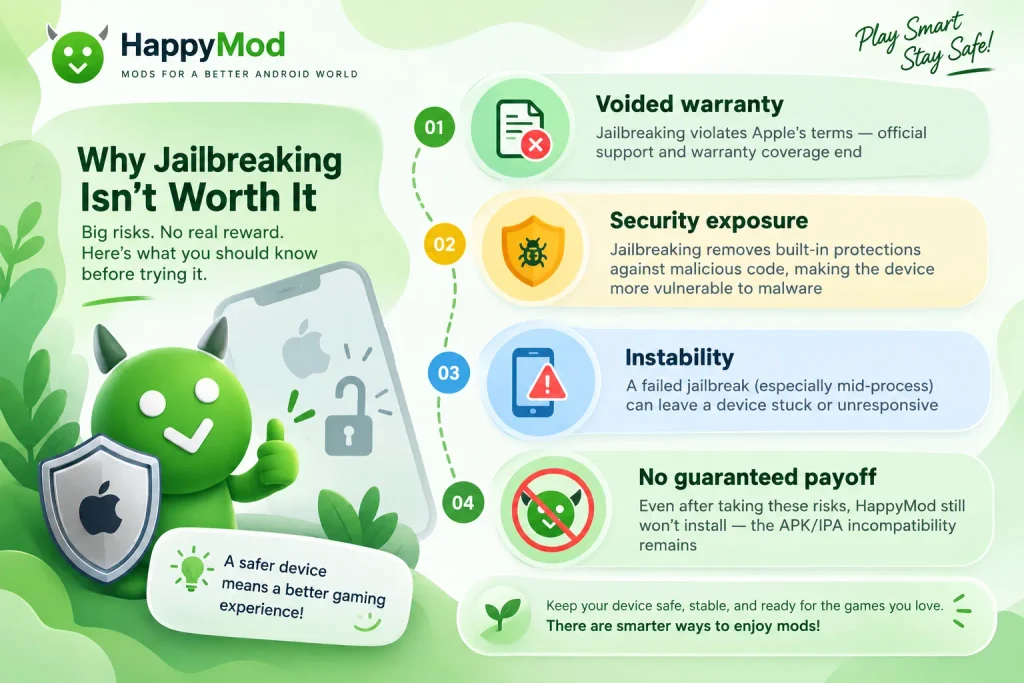
Bottom line: Jailbreaking can remove some of Apple’s restrictions, but it does not bridge the Android-to-iOS compatibility gap. If your goal is specifically to run the genuine Android version of HappyMod, jailbreaking your iPhone is not the solution.
The One Method That Actually Works: HappyMod via PC Emulator
Till now, we agree on one point that happymod cant be run directly on an iPhone or iPad. Now comes the actual legit solution to “How to run HappyMod on iOS”. This method does not depend on any certificate, licence, or rule-breaking.
Why an Emulator Is the Real Fix
An app made for Android typically need android environment to run, and this is where an emulator steps in as a lifesaver. An emulator create and android environment on you pc/iPhone. This lets the APK install, treating the device as Android. Happymod exactly works as and andorid apk. Nothing is faked, re-signed, or reverse-engineered here: it’s the actual app, running in the environment it was actually built for.
The main issue isn’t that iOS needs a better installer, but the concern is that an APK needs and android envirnoment, and this gap is being filled by an emulator. If the actual goal is to use HappyMod’s library, this gets the user there reliably, which is more than any iOS-based method can promise.
Quick Setup Steps
- Download a reputable Android emulator for your PC or Mac; BlueStacks and LDPlayer are among the most widely used and actively maintained options.
- Install and launch the emulator, then let it complete its initial setup (this creates the virtual Android environment).
- Download the HappyMod APK from a trusted source, not a random third-party link.
- Drag the APK file into the emulator window, or use the emulator’s built-in APK installer if it has one.
- Open HappyMod from the emulator’s app drawer once installation finishes, just like its done on a real Android device.
For a full walkthrough, including setup screenshots, troubleshooting, and safety tips for the PC method specifically, see our complete guide: HappyMod for PC.
Troubleshooting the Emulator Method
Is HappyMod Safe, Even on Android?
Above, we have been talking about the safety of HappyMod iOS on iOS and pc but it’s worth knowing whether HappyMod is safe on its own platform. The answer is yes, but that does not mean downloading it from any random website offering it. Make sure you download the HappyMod APK file from a trusted source like happymodworld.com, where the files offered are virus-scanned and malware-free, with proof.
One thing to clarify, as discussed earlier: HappyMod is the distributor of modified APKs, so the apps and games installed via happymod are not the responsibility og happymodworld team. We are only responsible for the safety and security of providing working and clean HappyMod APK files. Users should avoid giving extra permissions to random apps and games and keep Google Play Protect on. Sideloading is never as safe as an official app store, and that stays true even when you’re using it through an emulator.
Pros and Cons of Trying to Get HappyMod on iPhone
Before trying any of the methods in this guide, make sure you understand what you’re actually getting. Here’s a simple and honest breakdown.
Pros
- The configuration profile method is free and doesn’t require technical skill
- An Android emulator gives you the real, unmodified HappyMod app with its full mod library
- Understanding the App Store copycats (Section 9) prevents wasted subscription money
- No jailbreaking is required for the emulator method; it’s the safer of the two paths
Cons
- The configuration profile method doesn’t install real HappyMod, just a web clip or re-signed app
- Config profile installs are prone to sudden certificate revocation, breaking without warning
- Configuration profiles can grant the installer some control over your device settings
- The emulator method requires a PC or Mac; it doesn’t put HappyMod on your iPhone’s home screen
- Neither method is officially supported by HappyMod or Apple
Frequently Asked Questions
Conclusion
If you searched “Happy Mood iOS” hoping for a simple yes, here’s the honest answer: HappyMod has no official iPhone or iPad app, and none is in development. It’s not a missing feature or a delay — it’s a fundamental format mismatch between Android’s APK and iOS’s IPA that no configuration profile, jailbreak, or “iOS download” can fix. What gets advertised as a working version is usually a web clip, a re-signed app on a certificate Apple will eventually revoke, or an unrelated copycat app.
You’re not out of options, though. If what you actually want is HappyMod’s real mod library, running it through an Android emulator on your PC or Mac gets you the genuine app, with none of the certificate or permission headaches.
Ready to try it? Check out our full HappyMod for PC guide for step-by-step setup.
This is an independent guide, not affiliated with or endorsed by HappyMod. All trademarks belong to their respective owners.


One Comment